Understanding the Role of Pillar Pages in Modern SEO
Modern SEO demands a strategic shift from optimizing for individual keywords to building topic-based authority. A pillar page serves as a comprehensive, authoritative resource, thoroughly covering a broad core topic and acting as the central hub for all related content on a website. This approach effectively tackles key challenges like content fragmentation and inconsistent topical depth.
Field observations indicate that consolidating scattered content into a robust pillar—such as centralizing all "content strategy" insights—significantly boosts overall organic rankings. Pillar pages fundamentally enhance site architecture and crawlability. They establish a clear, hierarchical structure that guides both users and search engine bots through strong internal linking, reinforcing topical relevance and distributing link equity effectively across the site. Learn more at pillar page examples.
Pillar Pages vs. Blog Posts and Landing Pages: Key Differences
Distinguishing between pillar pages, blog posts, and landing pages is crucial for a coherent content strategy. A pillar page offers a broad overview of a core topic designed to satisfy a user's extensive information-seeking intent. It serves as an authoritative hub, providing foundational knowledge.
In contrast, a blog post delves into a specific sub-topic or niche question, offering detailed insights or answers to narrower queries. Landing pages are singularly focused on driving a specific conversion action, such as a download or signup, often with minimal navigation.
Regarding longevity, pillar pages are inherently evergreen assets that require infrequent but significant updates to maintain relevance. Blog posts can vary; some are evergreen, while others are more timely and require frequent minor refreshes. Landing pages typically remain active only as long as their associated campaign runs.
Strategically, pillar pages occupy a higher tier in the site hierarchy, acting as central anchors. Numerous blog posts (cluster content) branch out from and link back to these pillars to establish topical authority. Landing pages typically sit apart, optimized for campaign performance rather than informational architecture. A common mistake I’ve encountered is when organizations treat a pillar page merely as an extended blog post, failing to leverage its potential for internal linking and comprehensive coverage.
Common Types of Pillar Pages for Every Content Strategy
Effective content strategies leverage different pillar page formats to achieve diverse objectives. Field observations indicate three primary types, each tailored for specific business goals.
The 10x Content Pillar
This type aims to be the single best resource on the web for a broad, high-volume keyword. It provides exhaustive, in-depth coverage to establish ultimate authority. Businesses choose this format to dominate search rankings and capture a wide audience, requiring a significant investment for substantial long-term SEO dividends.
The Resource Pillar
A Resource Pillar acts as a curated hub, collecting high-value internal articles, external links, tools, and definitions. Its purpose is to serve as a navigable gateway, offering users quick access to diverse information. This strategy is ideal when you possess a wealth of existing content or aim to be the go-to curator for a niche.
The Service/Product Pillar
This pillar strategically aligns educational content with commercial offerings. It addresses user pain points and then positions a business's service or product as the optimal solution. Experts suggest this approach when the primary goal is to drive qualified leads, blending informational value with commercial intent to guide the conversion process.
High-Performing pillar page examples and Why They Work
The "Ultimate Guide" Format: Structuring for Authority
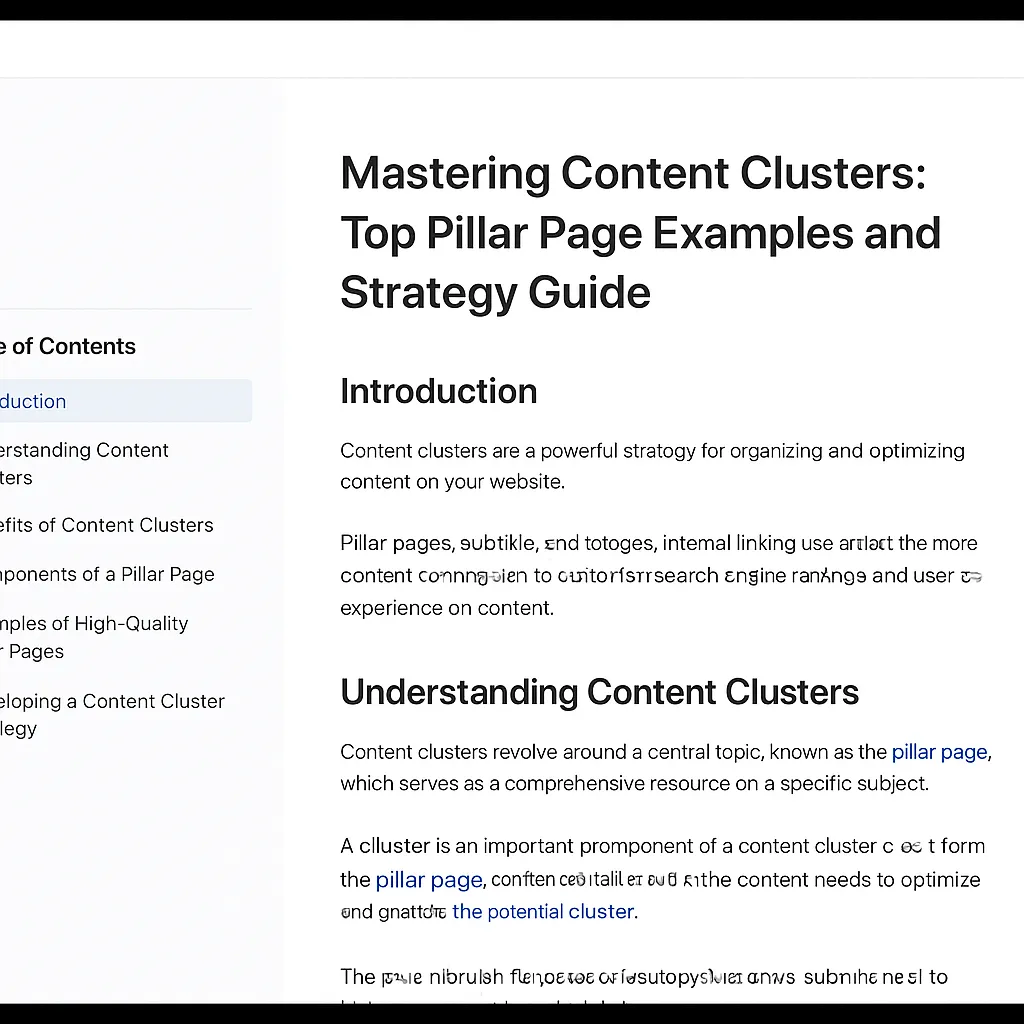
The "Ultimate Guide" pillar page is a prime example of 10x content, designed to be the most comprehensive resource on a specific broad topic. Its effectiveness hinges on a meticulously organized structure and intuitive navigation. Successful "Ultimate Guides" typically feature a clear, hierarchical layout that begins with a broad introduction and progressively delves into specific sub-topics.
Key to their high performance is a sticky table of contents (TOC), often positioned prominently in the sidebar. This TOC utilizes jump links to allow users to navigate quickly to specific sections, enhancing user experience (UX) and reducing bounce rates. For instance, a guide on "Digital Marketing Strategies" might have sections for SEO, Content Marketing, and Social Media, each accessible directly from the TOC. This structure aids user comprehension and signals the page's depth to search engines.
Resource-Based Pillars: Curating Utility and Link Density
Resource-based pillar pages excel at curating external and internal links, serving as a valuable hub for users seeking tools, templates, or further reading. Their strength lies in their high link density and the strategic selection of resources that genuinely benefit the target audience. When analyzing successful pillar page examples, resource-based hubs often stand out for their utility.
Practical experience shows that the best resource pillars offer a blend of proprietary content, such as internal blog posts and case studies, and carefully vetted external links to authoritative sources. A well-executed resource pillar doesn't just list tools; it provides brief descriptions and use cases. The internal linking strategy is critical here, ensuring that relevant internal articles are featured prominently to drive traffic deeper into the site's content clusters.
Service-Oriented Pillars: Bridging Education and Sales
Service-oriented pillar pages uniquely bridge the gap between educational content and potential customer conversion. While they educate, their underlying purpose is to position a specific service or product as the solution to the problem discussed. For example, a pillar page on "Understanding Cloud Computing" might delve into the benefits and challenges of the technology before subtly leading to the company's own cloud solutions.
These pillars maintain high educational depth while integrating calls to action (CTAs) that align with the user's journey. They often feature problem-solution narratives, demonstrating expertise and building trust before presenting the service. Internal linking is designed to guide users from broad educational topics to specific service pages or case studies, effectively nurturing them through the sales funnel.
Deep Dive into Internal Linking Patterns
Across all successful pillar page types, internal linking is the backbone of SEO performance:
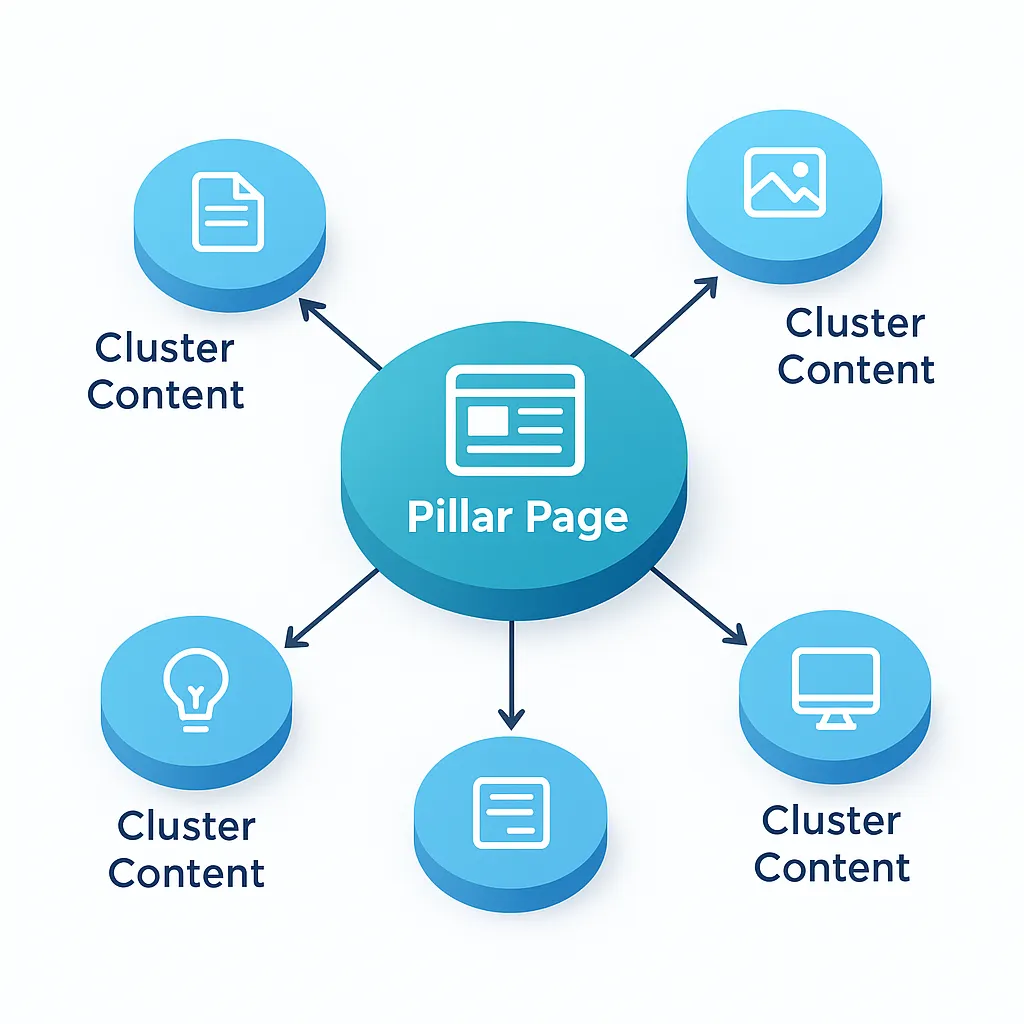
- Pillar-to-Cluster Linking: The pillar page links out to numerous cluster content articles (blog posts, guides, case studies) that explore sub-topics in detail. These links should use descriptive anchor text.
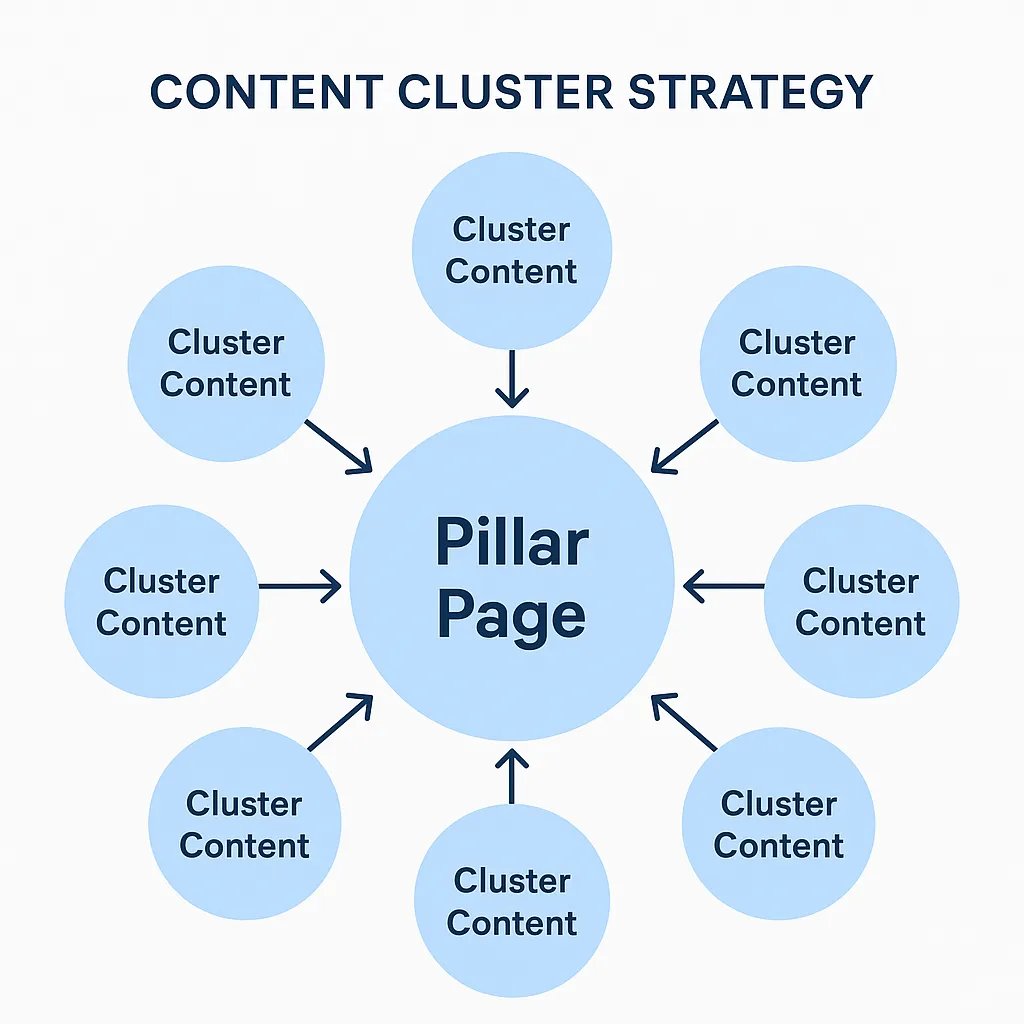
- Cluster-to-Pillar Linking: Crucially, every cluster content piece must link back to the main pillar page. This creates a bidirectional structure that reinforces the pillar's authority and passes link equity.
- Contextual Linking: Links should be embedded naturally within the text to provide additional context for curious readers, rather than appearing as a simple list.
This intricate web of internal links signals the semantic relationship between the pillar and its clusters to search engines, establishing comprehensive topical authority.
Engaging UX Elements
Beyond structure and linking, effective UX elements are vital for keeping readers engaged on long-form pages:
- Table of Contents with Jump Links: Essential for quick navigation.
- Progress Bars: These visual indicators show users how far they have read, encouraging them to continue.
- Visual Breaks: Strategic use of images, videos, infographics, and pull quotes makes the content more digestible.
- Clear Headings and Subheadings: These provide a scannable structure, allowing users to find relevant information quickly.
The Pillar Page Engagement Checklist
To ensure your pillar pages are designed for maximum engagement and SEO performance, consider the following:
- Comprehensive Structure: Is there a clear hierarchy of information from broad to specific?
- Intuitive Navigation: Does the page include a sticky, jump-link-enabled Table of Contents?
- Strategic Internal Linking: Does the pillar link to all relevant cluster content, and do all cluster pieces link back to the pillar?
- Target Audience Alignment: Does the content directly address the questions and pain points of your audience?
- Content Depth: Does the page provide authoritative information without being overwhelming?
- Visual Engagement: Are there sufficient visual breaks and clear headings to enhance readability?
- Subtle CTAs: For service pillars, are calls to action integrated naturally without disrupting the educational flow?
Pro Tip: Regularly audit your pillar pages and their associated clusters. As new content is created, ensure it is linked correctly to its respective pillar to maintain authority and accuracy.
A Step-by-Step Framework for Building Your Own Pillar Page
A systematic framework is essential for building effective pillar pages:
- Identify Core Topics: Start with thorough keyword research to uncover high-volume, relevant broad terms. Studying existing pillar page examples can help you identify which core topics resonate most with your audience. Employ gap analysis to pinpoint underserved niche areas where you can offer unique value.
- Map Topic Cluster: Identify all supporting sub-topics and long-tail keywords. Visualize the user journey, ensuring each piece of content addresses specific needs at various research stages. A well-structured cluster enhances both user experience and search engine understanding.
- Draft Comprehensive Content: Provide in-depth answers to act as a definitive resource. Your pillar page must address the entire user journey, from initial awareness to consideration, with authoritative, actionable insights.
- Optimize On-Page SEO: Integrate your primary keyword naturally in the title, headings, and throughout the text. Optimize meta descriptions and image alt tags, and ensure a logical content flow. Natural keyword integration yields superior long-term performance compared to forced repetition.
Expert Strategies for Internal Linking and Topic Clustering
Internal linking is the backbone of successful topic clustering. The relationship between your pillar page and its cluster content must be a two-way street. Each cluster article should link back to the main pillar, and the pillar must link out to all relevant cluster pieces, creating a robust, interconnected web.
A common mistake I've encountered is content overlap, which leads to keyword cannibalization. This dilutes authority and confuses search engine bots. To avoid this, ensure each cluster addresses a unique facet of the broader pillar topic. Anchor text optimization is also crucial; use descriptive, relevant keywords that accurately reflect the linked page's content. A meticulously planned internal linking strategy ensures a logical flow, reinforcing your site's expertise and improving discoverability.
Measuring Success and Evolving Your Content Architecture
Track time on page, bounce rate, and organic rankings to gauge the success of your pillar pages. In my experience, neglecting regular content audits is a common mistake that leads to performance decay. These audits are crucial for identifying content that requires updates or expansion, thereby maintaining evergreen authority. Apply a quarterly audit schedule to your content architecture to ensure your pillars remain competitive and relevant.
Frequently Asked Questions
What are the best pillar page examples for SEO?
High-performing pillar page examples include the "Ultimate Guide" (10x content), Resource Pillars (curated hubs), and Service-Oriented Pillars (educational content linked to commercial solutions).
How do pillar pages differ from blog posts?
A pillar page provides a broad, comprehensive overview of a core topic to satisfy informational intent, while a blog post focuses on a specific sub-topic or niche question within that broader category.
Why is internal linking critical for topic clusters?
Internal linking creates a bidirectional relationship between the pillar and its cluster content. This signals topical relevance to search engines, distributes link equity, and improves site crawlability.
How do I choose a topic for a pillar page?
Start with keyword research to find high-volume, broad terms relevant to your business. Use gap analysis to find underserved areas where you can provide the most authoritative resource on the web.