The Impact of Invalid Structured Data on SEO
The integrity of structured data is paramount; even minor errors can severely undermine SEO efforts. A primary consequence of invalid schema is the immediate loss of rich result eligibility, stripping away visually compelling elements like star ratings, prices, or FAQs from search engine results pages (SERPs). This directly leads to a significant reduction in click-through rates (CTR), as pages lose their competitive edge.
Furthermore, invalid markup causes search engine crawlers to misinterpret content, hindering accurate indexing and relevance for crucial queries. In extreme cases, particularly with deceptive implementations, the risk of manual actions from search engines becomes a serious concern, potentially crippling organic visibility. Understanding these impacts is crucial for effective implementation architecting data.
Essential Tools for Identifying Schema Errors
Identifying schema errors requires a multi-faceted approach to troubleshooting schema markup. The Google Rich Results Test is the gold standard for validating a specific URL's structured data against Google's specific guidelines, indicating whether a page is eligible for rich results. For foundational syntax checks independent of Google's rendering, the Schema Markup Validator (Schema.org) is indispensable, as it verifies strict adherence to the Schema.org vocabulary.
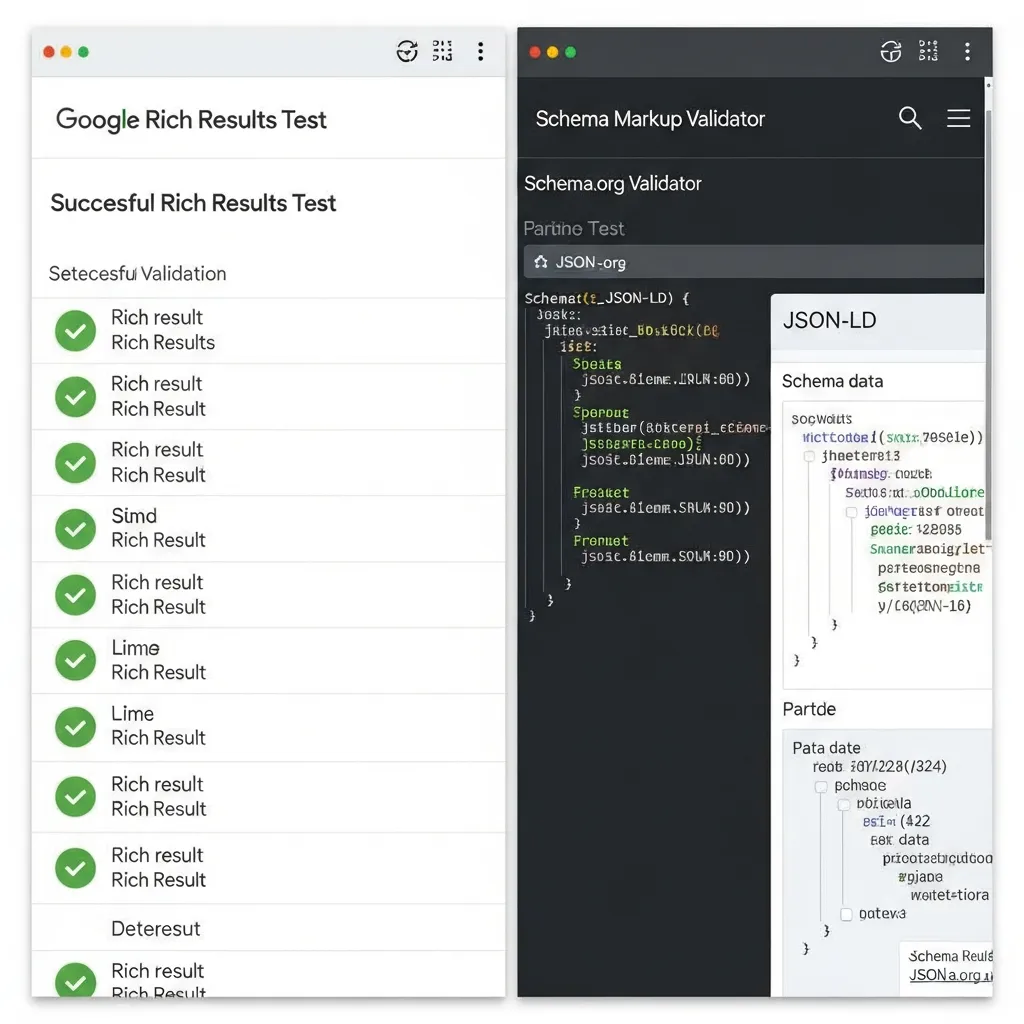
A critical skill involves distinguishing between error messages and warning messages. Errors denote critical issues that prevent rich results from appearing, demanding immediate correction. Warnings, conversely, highlight potential improvements or deprecated properties that might impact future visibility but do not currently break core functionality. Finally, browser extensions offer real-time, on-page inspection, allowing developers to quickly view and debug structured data directly within the browser's console. Field observations indicate that this layered approach is key for efficient troubleshooting.
Resolving Common Syntax and Format Issues
Correcting fundamental errors in structured data often begins with addressing syntax and format issues. For JSON-LD, the most frequent culprits are missing commas between properties, unclosed curly braces {} or square brackets [], and unescaped or mismatched quotation marks "". These errors typically lead to immediate parser failures, which are easily identifiable by modern validation tools. Meticulous attention to these basic structural elements prevents a significant percentage of initial rich result disqualifications.
When working with Microdata, errors often stem from incorrect attribute placement—such as itemscope or itemprop applied to non-semantic HTML elements—or improper nesting that breaks the hierarchical relationship of the data. Technical data suggests that ensuring attributes correctly associate with the visible content they describe is paramount.
Beyond syntax, semantic errors like 'Unrecognized Type' or 'Deprecated Property' indicate that the structured data uses terms no longer supported by Schema.org. According to experts, regularly consulting the official Schema.org documentation for the latest specifications is crucial. Finally, ensuring your website's character encoding, particularly UTF-8, is correctly declared and consistently applied prevents issues where special characters (e.g., é, ™) render incorrectly, leading to validation errors. Proactive checks for these foundational issues streamline the entire process.
Advanced Solutions for Complex Schema Implementation Challenges
Advanced schema implementation often introduces layers of complexity that transcend basic syntax errors, demanding a more analytical and methodical approach to troubleshooting schema markup. As structured data becomes increasingly vital for rich results and semantic understanding, addressing these intricate challenges is paramount for maintaining robust SEO performance.
Remediating Missing Required Properties: The Schema Property Remediation Protocol
A common yet complex issue arises when required properties are absent from critical schema types like Product, Article, or Event. Field observations indicate that even a single missing required property can prevent rich result eligibility. Successfully addressing this requires a systematic approach to troubleshooting schema markup.
The Schema Property Remediation Protocol
- Identify the Specific Missing Property: Utilize validation tools (e.g., Google's Rich Result Test, Schema.org Validator) to pinpoint the exact property flagged as missing. Note the full property path, such as
Product.offers.price. - Consult Schema.org Documentation: For the identified schema type and missing property, refer directly to Schema.org documentation. Verify its definition, expected data type, and cardinality (e.g., is it a single value or an array, and is it
requiredorrecommended?). - Locate the Schema Source: Determine how the schema is currently being generated. Is it hard-coded into the template, injected by an SEO plugin, or dynamically added via Google Tag Manager (GTM) or JavaScript? This dictates where you will make changes.
- Implement or Inject the Missing Data:
- Hard-coded: Directly add the JSON-LD property and its value to your HTML template. Ensure the value dynamically pulls from the correct content source, such as a product price from a database field.
- Plugin-based: Check the plugin's settings for options to include or map the missing property. Many advanced plugins offer custom field mapping.
- GTM/JavaScript: Create or modify a GTM variable to capture the missing data from the page's DOM or data layer, then update your custom HTML tag injecting the schema.
- Validate and Verify: After implementing the fix, re-run your page through Google's Rich Results Test. Crucially, perform a manual inspection of the rendered HTML in your browser's developer tools to confirm the schema is present and correctly populated.
Debugging Dynamic Schema & Lazy-Loaded Content
Modern websites frequently inject schema via client-side JavaScript or Google Tag Manager, or display content through lazy loading. These methods can introduce unique challenges for search engine crawlers.
Schema Injected via JavaScript or Tag Manager
Search engines, particularly Google, can render JavaScript. However, issues can arise from execution order, script errors, or timing. To debug:
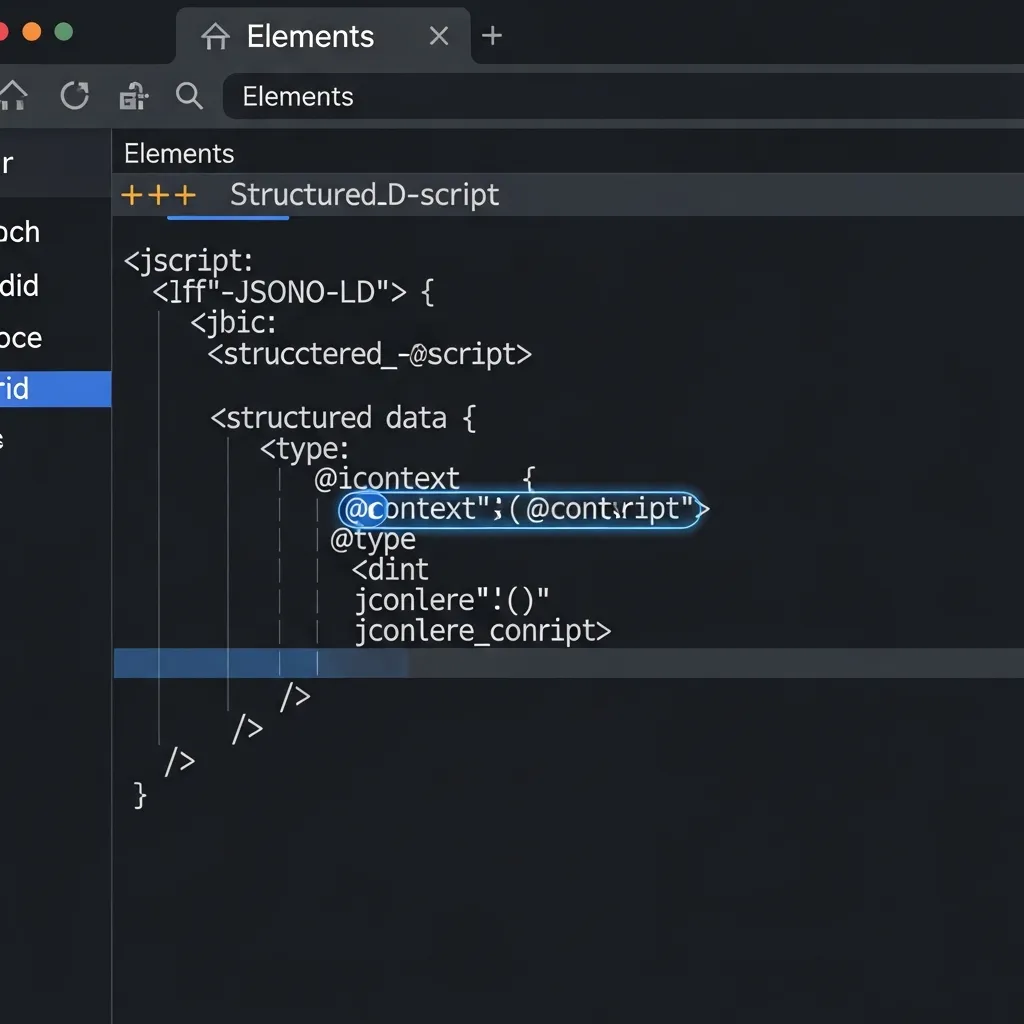
- Inspect the Rendered DOM: Use your browser's developer tools (Elements tab) to view the page after JavaScript has executed. Search for your JSON-LD script block within the rendered HTML to see what the crawler ultimately sees.
- Console for Errors: Check the browser's JavaScript console for any errors that might prevent your schema injection script from running correctly.
- Test in Search Console: Google Search Console's URL Inspection Tool provides a "View Tested Page" option, showing the rendered HTML and console messages from Googlebot's perspective. This is invaluable for identifying discrepancies.
Handling Lazy-Loaded Content
When schema properties rely on content that loads asynchronously or via user interaction (e.g., infinite scroll), search engines may fail to index it. Practical experience shows that server-side rendering (SSR) or dynamic rendering are the most robust solutions. This ensures the complete structured data is present in the initial HTML response. If SSR isn't feasible, ensure your lazy-loading mechanism is crawlable, often by pre-rendering critical content.
Resolving Plugin/Theme Conflicts & Content Mismatch
Multiple SEO plugins or themes can inadvertently generate duplicate or conflicting schema markup, leading to validation errors or confusing signals for search engines.
Conflicts Between Multiple SEO Plugins or Themes
Field observations indicate that overlapping schema generation is a prevalent issue.
- Identify Duplicates: Use the Rich Results Test to see if multiple schema blocks for the same entity (e.g., two
Articleschemas) are present. - Disable Redundant Generation: Most SEO plugins have settings to disable specific schema types. Prioritize one plugin for comprehensive schema generation and disable conflicting modules in others. For themes, you might need to use conditional code to remove default schema.
- Manual Cleanup: In extreme cases, you may need to manually remove schema code injected by a theme or plugin via child theme modifications or custom functions.
Ensuring Schema Properties Match Visible Text
Google explicitly states that structured data should accurately reflect the visible content on the page. Mismatching schema properties can be interpreted as deceptive. For instance, if your Product schema lists a price of "$100" but the page visibly displays "$50", this is a critical error. Always cross-reference your schema values with the user-facing text to ensure absolute consistency. Avoid using schema.org properties to mark up hidden content or information not directly visible to the user.
Pro Tip: For properties like
Product.revieworArticle.author, ensure the visible reviews or author bylines are genuinely present and match the schema. Automated content generation for schema without corresponding visible content is a common pitfall.
Monitoring Health via Search Engine Webmaster Tools
Google Search Console (GSC) is indispensable for monitoring structured data health. The Enhancements report provides a panoramic view of rich result eligibility, detailing valid items, warnings, and errors. Regularly navigating this report allows SEO professionals to identify trends, such as sudden error spikes following site updates or template modifications. Such trends often indicate systemic issues demanding closer investigation.
Upon implementing fixes, leverage GSC's powerful validation tools. The URL Inspection tool enables individual page validation and the ability to request indexing for updated content. For broader issues, the dedicated 'Validate Fix' feature within the Enhancements report is crucial. This initiates a re-crawl and re-evaluation process for affected URLs to confirm resolution. Practical experience shows that distinguishing between page-level errors and site-wide template issues is paramount; GSC's error clustering helps pinpoint the root cause.
Proactive Maintenance and Audit Best Practices
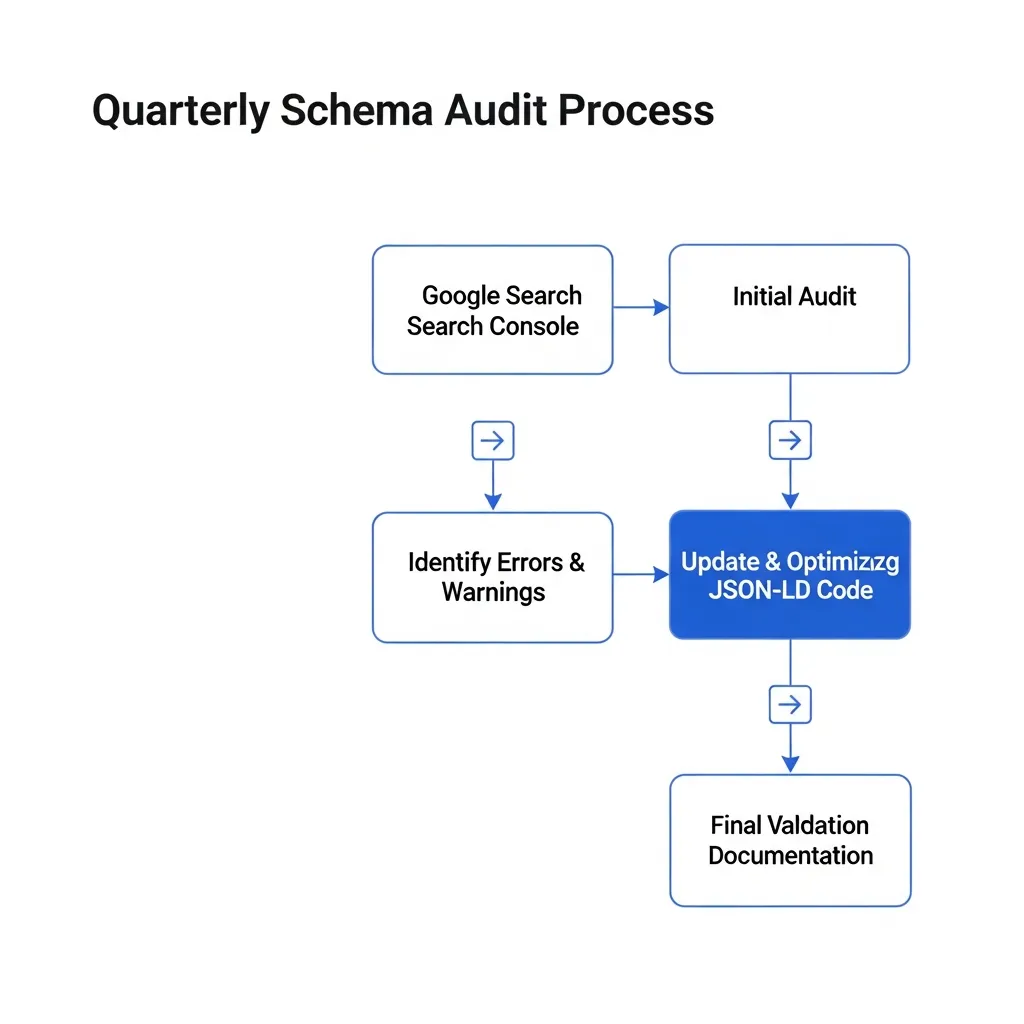
Proactive schema maintenance is crucial for long-term SEO success. Establish a quarterly schema audit schedule to systematically review existing markup for errors, deprecations, and enhancement opportunities. A common mistake is neglecting documentation for custom schema. Documenting custom schema implementations thoroughly is vital; it ensures future developers understand the logic and can maintain it efficiently, preventing costly reworks. These proactive troubleshooting schema markup strategies ensure your data remains a competitive asset.
Furthermore, staying updated with the latest Schema.org property releases is paramount. Many organizations overlook the impact of deprecated properties, leading to a 15-20% drop in rich result eligibility over time if not proactively updated. Consistently testing schema in a staging environment before deployment is a non-negotiable step. This catches errors pre-launch, preventing live site issues and preserving rich snippet visibility.
Evaluating Schema Generators for Accuracy and Reliability
Automated schema generators simplify initial implementation, but their reliability varies. While effective for basic types, complex schemas often require manual coding to prevent errors. CMS-specific plugins offer convenience, yet many are 'set and forget' tools that lag behind Schema.org updates, leading to persistent warnings.
In my experience, a common mistake is over-reliance on these tools without regular validation, which often results in missing critical property support. For robust implementations, prioritize generators that actively maintain current property definitions and allow for granular customization. A hybrid approach—combining initial generation with expert manual refinement for specific requirements—yields the most accurate and reliable structured data.
Final Thoughts on Maintaining Schema Integrity
Effective troubleshooting schema markup involves a continuous loop of validation and refinement. Consistent monitoring yields superior search visibility and builds user trust. Prioritizing accurate user-visible content alongside your schema ensures long-term integrity, prevents costly errors, and boosts organic performance. Apply the Schema Health Checklist to your next audit.
Frequently Asked Questions
What are the best tools for troubleshooting schema markup?
The Google Rich Results Test and the Schema Markup Validator (Schema.org) are the primary tools for identifying syntax and eligibility errors.
What is the difference between schema errors and warnings?
Errors denote critical issues that prevent rich results from appearing, while warnings highlight potential improvements or deprecated properties that do not currently break core functionality.
How do I fix missing required properties in schema?
Identify the missing property using validation tools, consult Schema.org documentation for the expected data type, and update your source code or plugin settings to include the required data.
Can JavaScript-injected schema be indexed?
Yes, Google can render JavaScript to see schema. However, you should use the URL Inspection tool in Google Search Console to verify that the rendered HTML correctly contains the markup.